
What You’ll Learn
- Scanning Child Sites for known WordPress core, plugin, and theme vulnerabilities
- Scheduling automated vulnerability checks
- Using MainWP NVD API vs WPScan Vulnerability Database
- Acting on vulnerability scan results
Extension Add-on - This add-on provides standalone functionality within MainWP Dashboard. No third-party plugins required.
- Get email notifications after scheduled vulnerability checks.
- Update vulnerable plugins and themes when a fixed version is available.
- Delete vulnerable plugins and themes.
WPScan Vulnerability Database
The WPScan Vulnerability Database is an online browsable version of WPScan’s data files that are used to detect known WordPress core, plugin, and theme vulnerabilities. This database has been compiled by the WPScan Team and various other contributors since WPScan’s release. The development of the WPScan Vulnerability Database was funded by BruCON’s 5by5 project. To use this service, register with WPScan and enter the API token from your profile in the extension settings. WPScan offers a free tier with a limit of 25 API requests per day, and paid API access increases the daily request limit.MainWP NVD Database
This API is free and does not require a WPScan API token. The NVD is the U.S. government repository of standards-based vulnerability management data represented using the Security Content Automation Protocol (SCAP). This data enables the automation of vulnerability management, security measurement, and compliance. The NVD includes databases of security checklist references, security-related software flaws, misconfigurations, product names, and impact metrics.Check Your Sites for Vulnerabilities
1
Login to your MainWP Dashboard
2
Go to MainWP > Add-ons > Security > Vulnerability Checker
3
Go to the Overview tab
4
Click the Check all sites button
Click the Check all sites button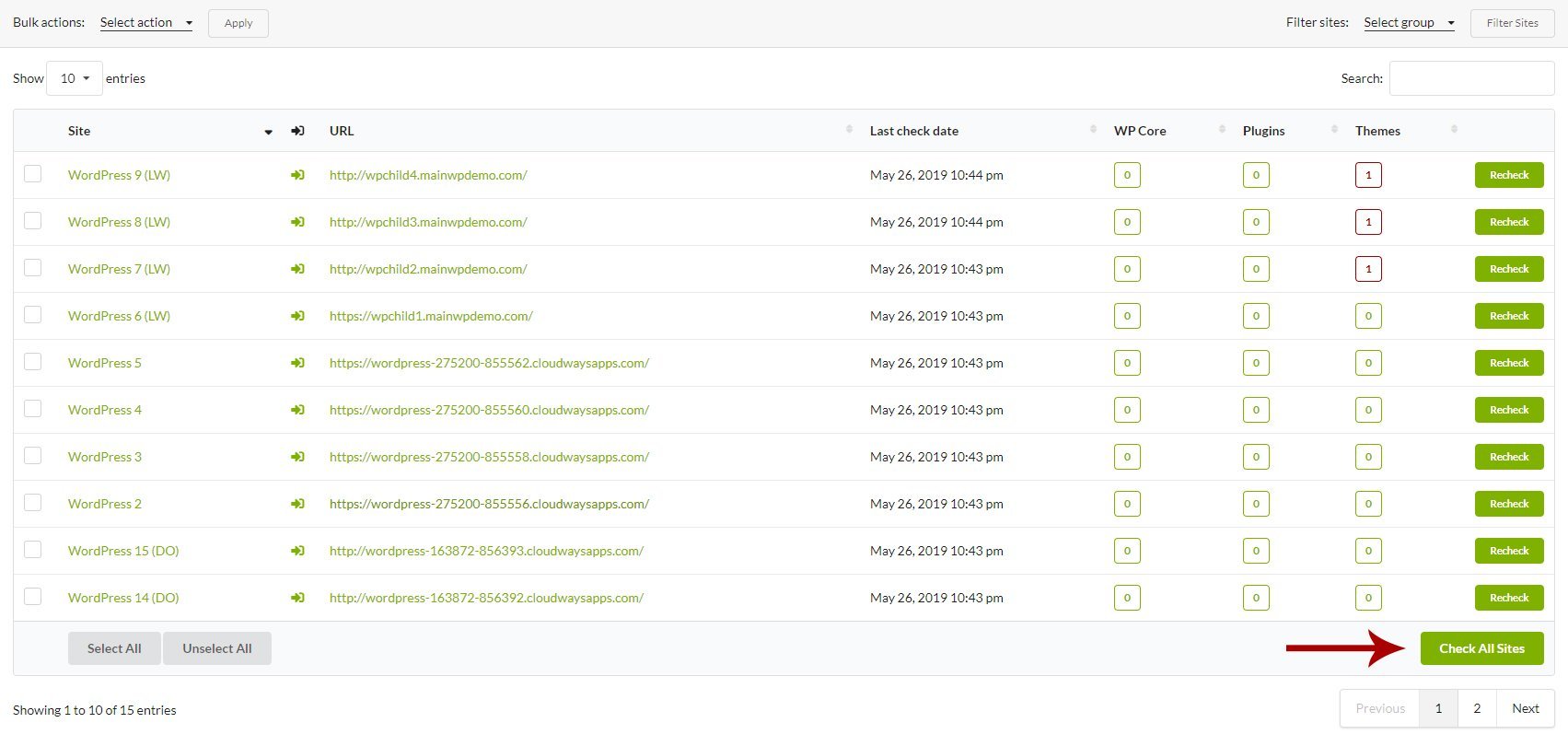
Schedule Automatic Checks
If you want the Extension to perform automated checks,1
Login to your MainWP Dashboard
2
Go to MainWP > Add-ons > Security > Vulnerability Checker
3
Go to the Settings tab
4
Locate the Schedule automatic checks option
5
Set your preference
6
Save Settings
Include the Scan Process in the Sync Process
If you want the Vulnerability Checker extension to check your sites every time you Sync your sites,1
Login to your MainWP Dashboard
2
Go to MainWP > Add-ons > Security > Vulnerability Checker
3
Go to the Settings tab
4
Locate the Check sites when syncing option
5
Enable the option
6
Save Settings
MainWP NVD API
The MainWP NVD API uses the NVD API to find potential vulnerabilities on your Child Sites and is available for all users.MainWP NVD API requires MainWP Dashboard and MainWP Child 4.1.7 or higher.
The NVD is the U.S. government repository of standards-based vulnerability management data represented using the Security Content Automation Protocol (SCAP). This data enables the automation of vulnerability management, security measurement, and compliance. The NVD includes databases of security checklist references, security-related software flaws, misconfigurations, product names, and impact metrics.This API is free and does not require a WPScan API token. To enable the MainWP NVD API,
1
Go to MainWP > Add-ons > Security > Vulnerability Checker > Settings
2
Find Select service and select MainWP NVD API
3
Save Settings
1
Go to MainWP > Add-ons > Security > Vulnerability Checker > Overview
2
Click the Check All Sites button
Related Resources
- Security Add-ons - Browse all security tools
- Managing Plugins with MainWP - Plugin management guide
- How Secure is MainWP - Security architecture overview